
To obtain the software
- Log in to the Microsoft Web Portalwith an existing private Microsoft account
with an existing private Microsoft account. The Microsoft account should not run on your university e-mail address. You can also create a new Microsoft account for this purpose. -
After logging in, you must prove that you are a member of the University of Siegen. To do this, fill in the fields and use your student e-mail address.
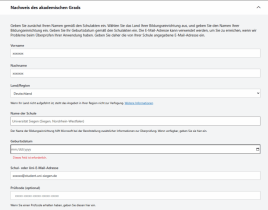
- An e-mail will be sent to you to verify your student address. You must follow its instructions.
-
After you have completed the verification, you must log in again with your new Microsoft account on the Microsoft Web Portal
and can access the services for students.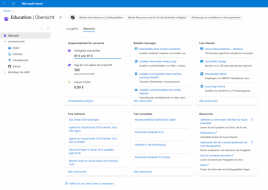
Notes
You are authorized to use the software as long as you are employed at the University of Siegen.
