


BrowZine: Discover Academic Journals

BrowZine displays the current issues of the e-journals licensed by the Siegen University Library in a graphical shelf view, thereby adding a visual component to the search.
The view encourages users to browse through the shelves. The e-journals can be sorted by subject or searched alphabetically by title. Clicking on the covers takes users to the current tables of contents and the respective PDF files of individual articles.
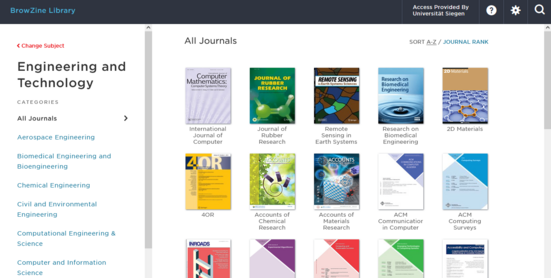
What BrowZine Offers
- A professional introduction to using e-journals—you don’t need to know the titles of individual journals
- Read articles online
- Downloading and saving articles
- Reuse of articles with Citavi, Zotero, and EndNote
- Sending articles via email
BrowZine focuses on current content and provides access to the latest volumes of licensed journals. Access to back issues is offered on a per-issue basis via the “View all back issues and sources” option for this title.
What BrowZine cannot do:
BrowZine is NOT designed for literature searches or other types of searches. For these purposes, we recommend using Katalog plus, particularly the “Articles and More” section, or the licensed subject databases.
Access to Browzine
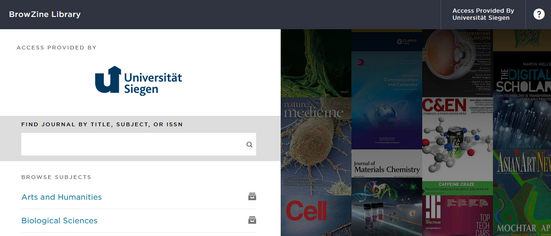
Direct access in your Browser
You can use BrowZine directly in your browser. If you are on the University of Siegen’s campus network or connected via VPN, BrowZine will automatically display the library profile. Browse BrowZine now
via the Katalog Plus
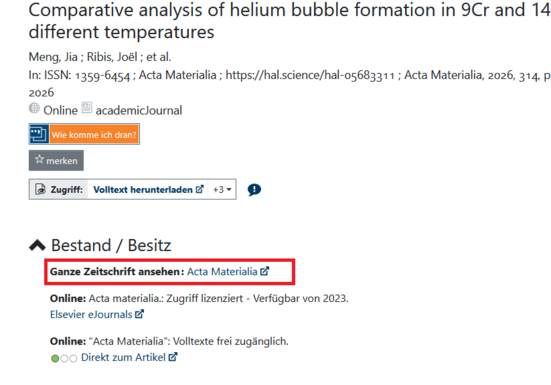
In the Katalog Plus, in the detailed view of search results under “Articles and More,” you will also find links to the journal issues in BrowZine, provided the journal is licensed for use.
Browzine FAQs
BrowZine includes the majority of the academic journals licensed by the Siegen University Library, but it is not exhaustive. For a journal to be listed in BrowZine, its publisher must assign DOIs and register the articles with CrossRef. Although most academic publishers do this, it has only been standard practice since 2005, which is why BrowZine includes content from that year onward.
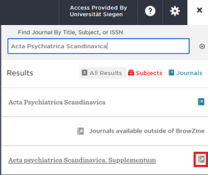
In most cases, a journal can still be found even if not all of its content is available in BrowZine. It is then marked with a special symbol indicating that the journal is available outside of BrowZine.
If you click on the journal’s title, you will be taken to the journal’s entry in the Electronic Journals Library (EZB).
Access to Browzine and the full-text articles is available at workstations within the university network. Members of the University of Siegen can also access the electronic resources from off-campus if they establish a VPN connection or if the publisher offers the full-text articles via Shibboleth.
The login credentials of library users who are not university affiliates cannot be used to access licensed e-resources.
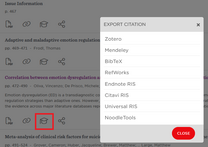
BrowZine displays an icon next to each article that allows you to export citations in various citation styles; Citavi and Zotero are also offered as styles.
Courses on literature management with Citavi or Zotero are held regularly, both in person and online.


