Adding delegated accounts and shared mailboxes (OWA)
On this page you will learn how to add a shared mailbox or a delegated account to Webmail (OWA).

Instructions
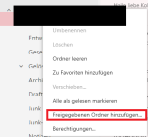
To add a delegated account or a shared mailbox to Webmail, first log in to Webmail with your primary account. Then open the e-mail overview. Right-click on your email address in the list to open a drop-down menu. Select the option "Add shared folder...".
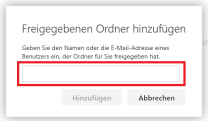
In the next step, enter the e-mail address of the delegated account or shared mailbox. If the account is shared with you, it will appear in the directory below. Select it and finally confirm with "Add".
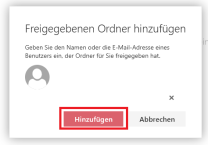
The mailbox will now be displayed in the list below your own.
